Step-by-Step Guide to Launch eCommerce Website Without Coding

The digital marketplace offers boundless opportunities, yet many aspiring entrepreneurs hesitate, fearing the technical complexities involved in website development. Fortunately, user-friendly platforms like Nehabi have revolutionized this process, allowing anyone to set up an e-commerce store without needing coding expertise.

In this guide, you’ll gain practical insights into building and scaling an e-commerce website using builders like Nehabi. We’ll walk you through every step, ensuring you have a roadmap to set up an ecommerce store that thrives in today’s competitive market

Table of Contents
    Add a header to begin generating the table of contents
    Scroll to Top

    What Is an E-commerce Website?

    An e-commerce website is a digital platform where businesses and consumers can buy and sell products or services. An e-commerce website enables online transactions by displaying products, processing orders, and facilitating payments. Well-designed online stores streamline the entire shopping experience, including browsing, checkout, and post-sale interactions. Think of popular platforms such as Amazon and Etsy—they revolutionize how consumers interact with brands, allowing transactions across time zones and borders.

    In Ethiopia, platforms like Ashewa.com have similarly introduced businesses to millions of consumers, validating the growing demand for setting up online stores locally and regionally.

    Image of Ashewa ecommerce website

    Why E-commerce Is Essential for Modern Businesses

    In 2023, 22% of global retail sales were conducted online, highlighting the importance of a digital presence. For Ethiopian businesses, adopting e-commerce ensures they tap into new markets beyond physical locations. E-commerce is now a cornerstone of global commerce. Companies like Ashewa.com have already embraced this trend, enabling small and large businesses to reach customers beyond geographical limits.

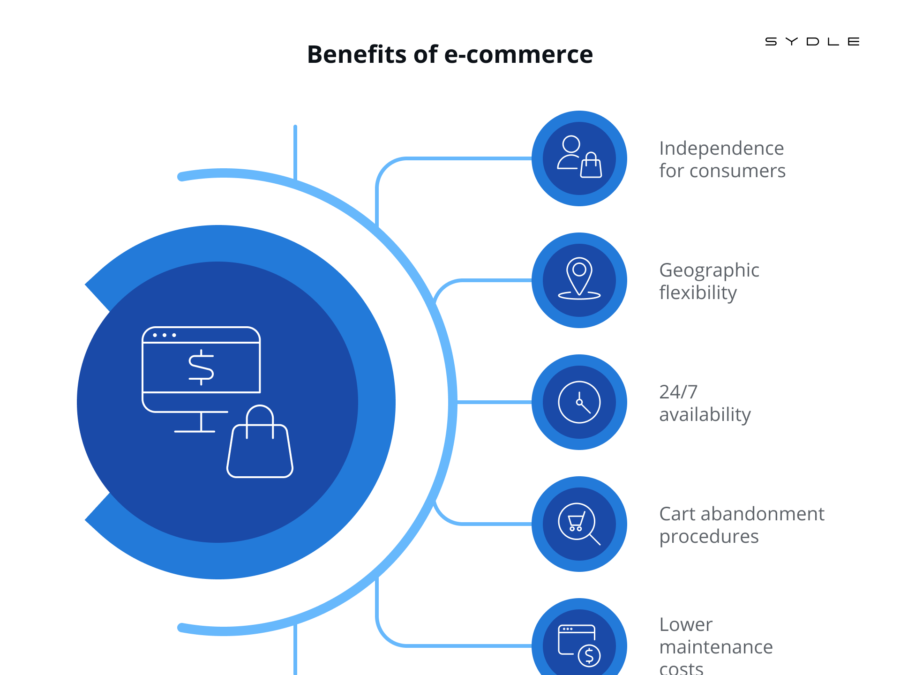
    Online stores are no longer a luxury but a necessity for modern businesses. They provide:

    • Lower operating costs (no rent or utilities for a physical store).
    • Broader reach to international markets.
    • Round-the-clock operations, giving customers the freedom to shop anytime.

    Tip: Even if you have a physical shop, setting up an e-commerce site ensures you can serve customers outside your immediate locality, which is essential for business growth in a digital-first world

    Image Showing benefits of ecommerce store
    Image source: https://www.sydle.com/ what is E-Business

    Overview: What You Will Learn from This Guide

    This guide provides a detailed, practical approach to launching an e-commerce website without coding. You’ll learn:

    • How to define your e-commerce niche.
    • How to select and set up the right e-commerce platform.
    • Tips for SEO, payment integration, and marketing strategies.
    • Metrics to monitor and tips on scaling your business sustainably.

    Let’s dive in.

    Defining Your E-commerce Niche and Target Market

    Before diving into the technical aspects of launching your e-commerce store, it is imperative to first identify your niche. Analyze market trends and discover underserved areas in your industry. For instance, if you notice a surge in demand for sustainable fashion, consider positioning your store to cater to eco-conscious consumers. A well-defined niche reduces competition and helps attract loyal customers

    Once you have identified your niche, the next step is to select products or services that will resonate with your target audience. Conduct thorough market research to gauge demand, competition, and potential profit margins.

    Example: A store selling eco-friendly cosmetics will have different needs and strategies than one focused on electronics.

    When defining your niche:

    • Identify market gaps and areas with unmet demand.
    • Develop a customer persona that outlines the ideal buyer’s preferences, behaviors, and demographics.
    • Focus on products you are passionate about and that align with customer needs.

    Pro Tip: Always start small. Focus on a specific category (e.g., handmade accessories or vegan cosmetics) and gradually expand your offerings.

    Planning Your E-commerce Business Model

    The success of your store also depends on choosing the right business model:

    • B2C (Business-to-Consumer): Ideal for retail businesses selling directly to customers (e.g., fashion stores).
    • B2B (Business-to-Business): Suitable if you supply other businesses with wholesale goods.

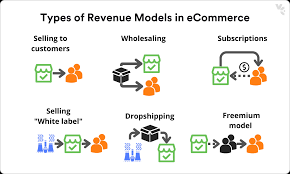
    You can also explore models like dropshipping, which eliminates the need to manage inventory Dropshipping allows you to sell products without holding inventory, making it a low-risk option for newcomers. Conversely, wholesale purchasing involves bulk buying, while private labeling gives you the opportunity to create branded products.

    Types of ecommerce Business model
    Image source: VirtoCommerce

    Choosing the Right E-commerce Platform

    When it comes to building your e-commerce website, you have a wide range of platforms to choose from, each with its own set of features, pricing, and technical requirements. The platform you choose will influence the store’s performance and scalability. Nehabi, Shopify, and WooCommerce are excellent options, each catering to different needs:

    • Nehabi: Perfect for Ethiopian businesses, offering local payment integration and user-friendly templates.
    • Shopify: Best for larger international operations but with higher fees.
    • WooCommerce: A flexible option for tech-savvy users with some coding knowledge.

    Key factors to consider:

    • Pricing and hidden fees.
    • Features and add-ons (like email marketing tools or live chat support).
    • Scalability for future growth.

    Registering a Domain Name and Hosting Your Website

    A good domain name is memorable, brand-relevant, and short. Choose a .com or country-specific extension (e.g., .et for Ethiopian businesses). Hosting services like Ashewa Cloud ensure your website remains accessible and fast for users. Speed matters—53% of users abandon a site if it takes more than 3 seconds to load.

    Domain Name extensions
    Image Source: https://www.dotgo.uk/

    Designing Your E-commerce Website Layout

    A clear and functional layout enhances the customer experience. Ensure that your e-commerce store includes all the necessary pages, such as

    • Home Page: Showcase featured products, USPs, and promotions.
    • Product Pages: Provide detailed descriptions, optimized images, and customer reviews.
    • Cart and Checkout Page: Ensure a frictionless, quick payment experience.
    • Contact Address Page

    Nehabi offers mobile-responsive templates, essential since 60% of online shoppers use smartphones.

    Creating Product Listings That Convert

    Product descriptions should highlight benefits, not just features. Use engaging language that resonates with your target audience. Also, incorporate customer reviews on products page to boost trust encourage purchases.

    Example: Studies show that products with reviews have a 270% higher chance of being purchased than those without reviews.

    Tip: Use high-quality images from multiple angles. Optimizing images improves both SEO and loading times, reducing bounce rates.

    Integrating Payment Gateways

    Offering multiple payment methods, including credit cards, mobile payments, and Cash-on Delivery, builds trust. In Ethiopia, consider integrating telebirr, CBE or similar local payment solutions for convenience.

    Pro Tip: Display security badges prominently to reassure customers their data is safe.

    Setting Up Shipping and Delivery Options

    Shipping policies can make or break your business. Offer various shipping options to meet different customer needs.—standard, express, or free shipping for certain orders. Providing multiple delivery choices increases customer satisfaction and reduces abandoned carts.

    Example: Ashewa.com’s success in Ethiopia can be attributed to its reliable local delivery network. Offering timely deliveries builds trust with customers.

    Implementing SEO Best Practices for E-commerce

    SEO drives organic traffic to your site. Optimize relevant keywords for products title, brand, size, category, specification, model, and other criteria. Nehabi’s integrated SEO tool enables you to optimize products on-page and technical SEO best practices.

    • Use descriptive URLs: /handmade-jewelry-necklace.
    • Add meta descriptions to increase click-through rates.

    Leverage rich snippets with product schema for enhanced visibility

    Launching Your E-commerce Website

    Before going live, thoroughly test your website for any bugs or broken links. Test every feature—from the checkout process to payment gateways—before launching. Create excitement with social media teasers and promotional discounts.

    Tip: Use A/B testing to optimize elements like product pages and CTAs (Call to Action) after launching your store.

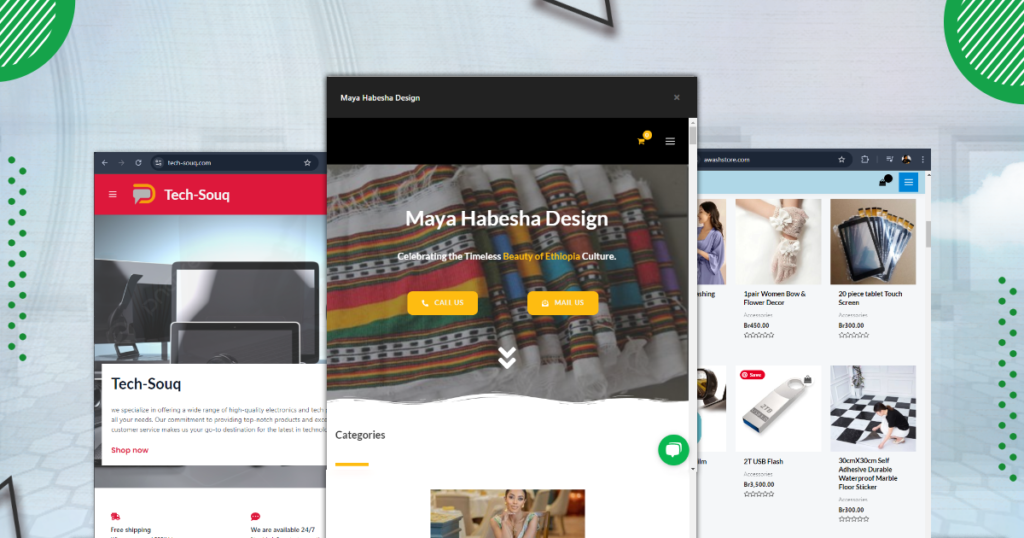
    Banner Image for eCommerce website template

    Measuring Key E-commerce Metrics

    Track the following metrics regularly:

    • Traffic: Number of website visitors who come to your landing pages.
    • Conversion Rate: Are visitors making purchases?
    • Customer Lifetime Value (CLV): How much does a customer spend over time?
    • Bounce Rate: Are visitors leaving your site without interacting?

    How to create ecommerce website with nehabi

    Here’s a detailed guide to building your e-commerce website with Nehabi. CLICK HERE To read more about it.

    Conclusion

    Creating an online store without coding is more achievable than ever, thanks to platforms like Nehabi. By defining your niche, choosing the right platform, and following SEO best practices, you can build a sustainable business. The journey doesn’t end after launching your store—continuous optimization and scaling are key to long-term success.

    Now, it’s time to turn your idea into reality. Start today, build a website for eCommerce, and open the door to unlimited growth!

    FAQs

    Consider factors like ease of use, scalability, pricing and payment options, and customization capabilities when choosing an e-commerce platform.

    Write clear, concise, and engaging product descriptions that highlight features, benefits, and specifications. Use keywords to improve SEO.

    E-commerce websites provide lower operating costs, broader market reach, and 24/7 availability for customers.

    Expand product offerings and enter new markets while leveraging customer feedback for improvements.

    Related Posts

    Build Your Digital Foundation with Nehabi.com

    In today’s rapidly evolving landscape, a powerful online presence is ...
    Read More

    Unlock Earning Potential: A Reseller’s Guide to Our Discount Program and Added Value!

    Are you a professional looking to expand your service offerings ...
    Read More

    “Build Your Dream Website with Nehabi:

    Read More

    How to Optimize Your Website with Nehabi SEO tool

    Search engine optimization is vital for driving organic traffic and improving your website’s visibility. While there are many SEO tools available, our SEO tool stands out for its performance, minimalism, and user-centric design. It automates meta tag generation, structured data, and even social metadata, yet gives you the freedom to fine-tune every aspect.

    Because all settings are consolidated on a single page, you don’t have to jump between multiple menus. This not only saves time but also reduces confusion ideal for beginners and efficient for experts.

    Tip: The tool is pre-configured to work optimally right out of the box, so you can start with the defaults and adjust only the settings that matter most to your website’s niche and style. you can get its setting from left side of your admin panel.

    Table of Contents
      Add a header to begin generating the table of contents
      Scroll to Top

      Here’s a non-exhaustive list of what you’ll be able to do with our built in SEO tool:

      • editing and optimization of meta title(title) and meta description tags
      • integration with the following webmaster tools: Google, Bing, Yandex, Baidu and Pinterest
      • integration with social media(Facebook, Twitter, Pinterest)
      • possible configuration of robots.txt file
      • automatic sitemap creation to notify Google, Bing and others of any changes to your site
      • open Graph data
      • schema markup tagging and activation of rich snippets
      • canonical URL optimization
      • color coding to indicate content optimization improvements.

      Basically, our SEO tool offers 11 inserts, most of which contain several tabs offering additional settings that you can fine-tune.

      In detail, here are the tabs at your disposal:

      • General Settings.
      • Title Settings.
      • Description Meta Settings.
      • Homepage Settings.
      • Post Type Archive Setting
      • Social Meta Settings.
      • org Settings.
      • Robots Meta Settings.
      • Webmaster Meta Settings.
      • Sitemap Settings.
      • Feed Settings.

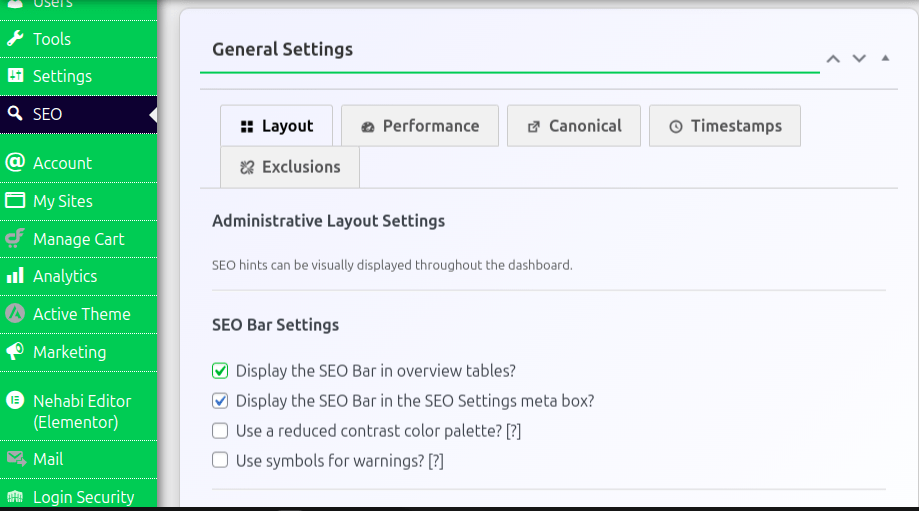
      1. General Settings

      General SEO optimization of a website

      The General Settings tab is your command center for overarching configurations. This section now includes options to manage layout, performance, canonical URLs, and timestamp settings, which directly impact both the user experience and your site’s SEO.

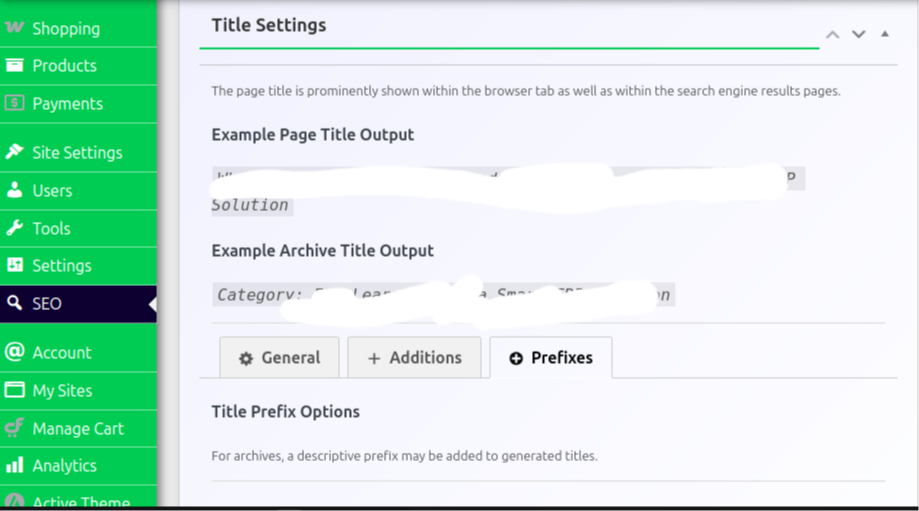
      2. Title Settings

      Web page Title optimization

      This tab focuses solely on how your page titles are generated and displayed on search engine results pages (SERPs).

      Key Options Include:

      • Title Templates: Define the pattern for your titles.
      • Separators: Choose a separator (like “|” or “-”) between elements of your title.
      • Length and HTML Stripping: Control whether HTML tags are removed to keep titles clean.

      Tips:

      • Use clear, descriptive titles that include your primary keyword.

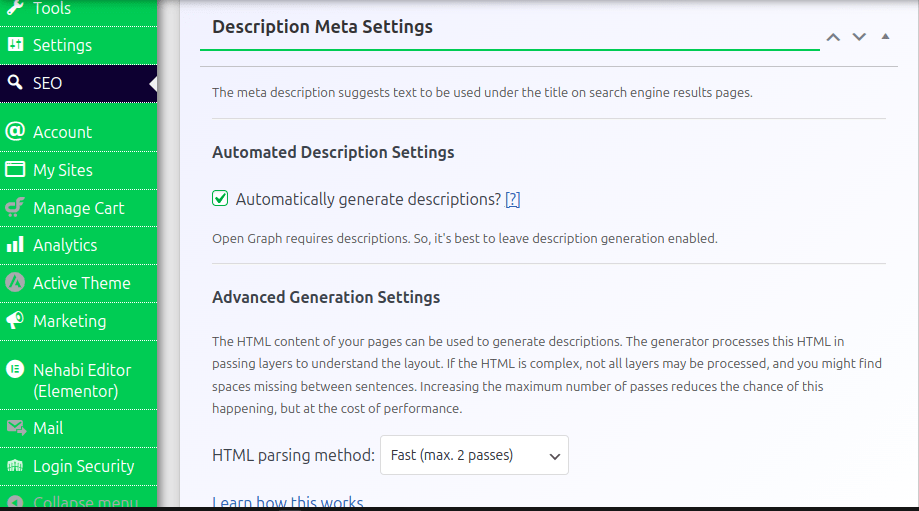
      3. Description Meta Settings

      Website Meta title and description optimization

      This section governs your meta tags, which are key for click-through rates on SERPs.

      Key Options Include:

      • Auto-Generation: The tool can automatically generate meta descriptions based on your content.
      • Manual Overrides: You can manually edit meta descriptions if you need a more tailored message.

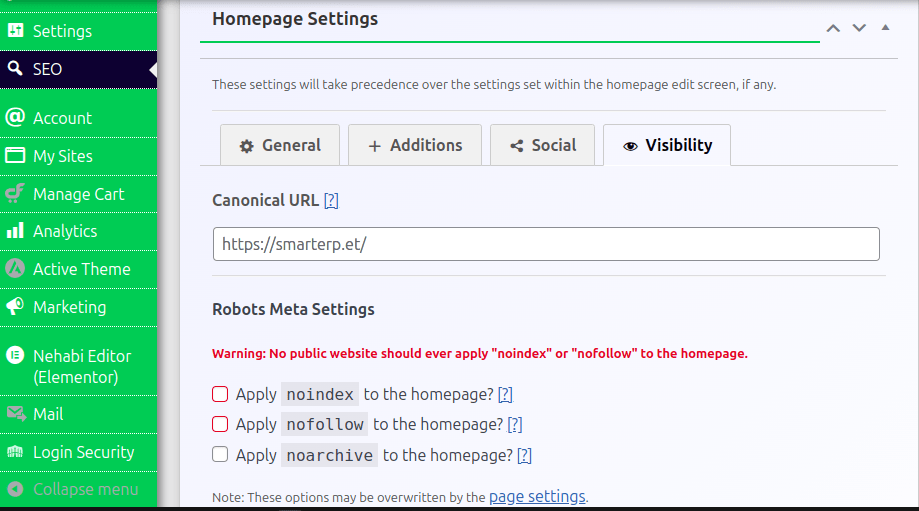
      4. Homepage Settings

      Optimizing homepage for SEO

      Customize the SEO for your homepage separately from other pages. This includes setting a canonical url, meta tag optimization, and 301 redirects. You should leave check boxes that asks to no-index and no-follow to home page since your home page is essential page of your website and it has a high impact on your entire SEO effort.

      Key Options Include:

      • Homepage Meta Title and Description: Define what users see when your site appears in search results.
      • Social Settings: Upload a default image and adjust social sharing details specific to your homepage.

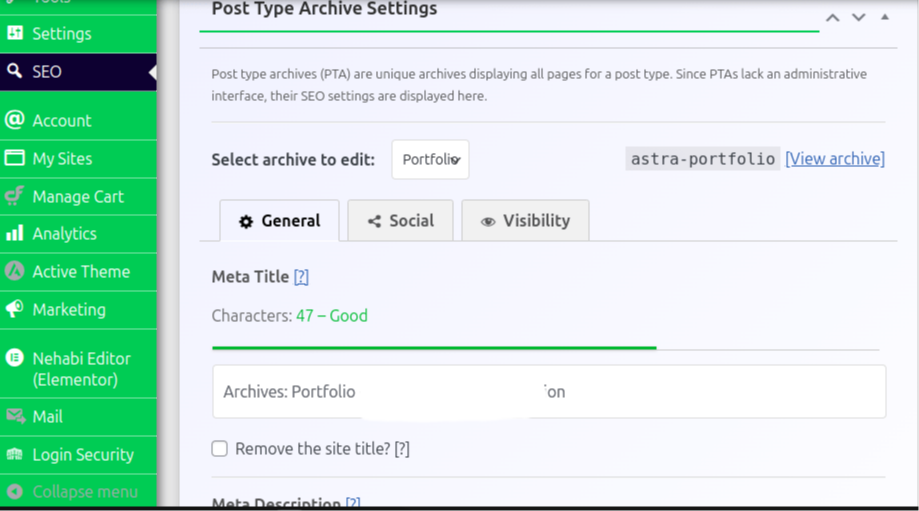
      5. Post Type Archive Settings

      Optimizing post type and archive pages for SEO

      This tab allows you to configure SEO for archive pages such as category archives, tag pages, and custom post type archives.

      Key Options Include:

      • Title and Description Templates: Set up specific meta tags for archive pages.
      • Indexing Controls: Decide whether these pages should be indexed or if you’d prefer to apply a “noindex” tag to avoid duplicate content issues.

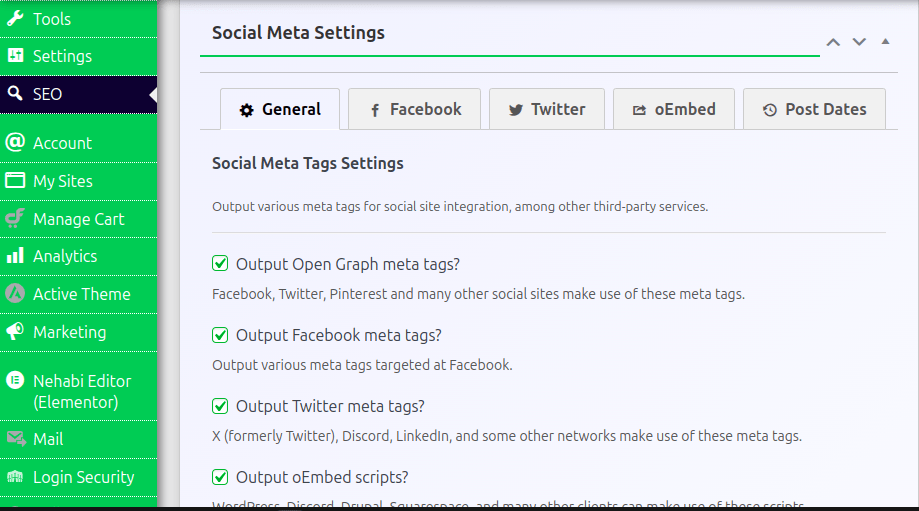
      6. Social Meta Settings

      Social meta tag optimization for SEO

      This option allows you to customize how your content appears on social media platforms like Facebook, Twitter, Pinterest, and more.

      Key Options Include:

      • Open Graph Settings: Remove or keep site title from generated social titles and Define the default image that appear when your content is shared.
      • Twitter Cards: Set up specific Twitter meta tags.
      • Additional Social Options: Options for color schemes and fallback images.

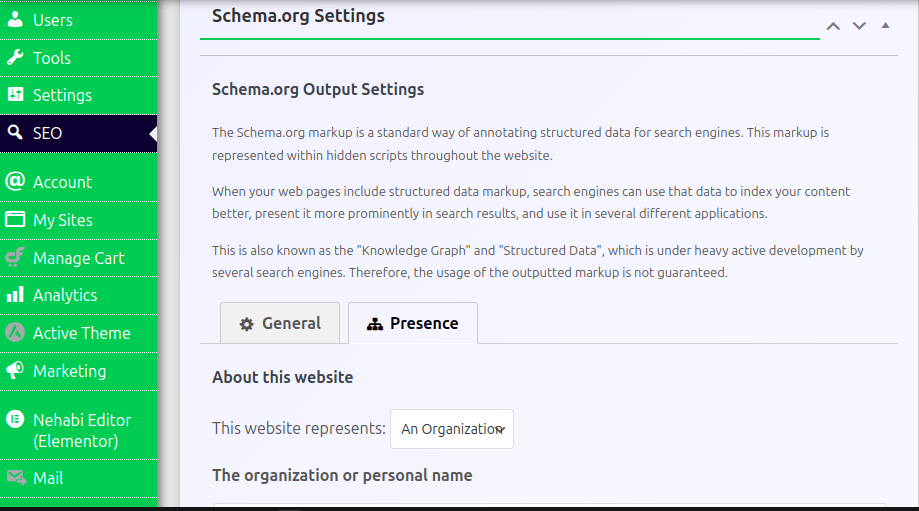
      7. Schema Markup Settings

      Optimizing schema markup using seo tool

      Schema markup is a code that helps search engines understand your content better and can enhance your appearance in SERPs with rich snippets.

      Key Options Include:

      • Presence Tab: Specify if your site represents an organization or an individual.
      • Logo and Brand Information: Upload your logo and fill in your brand name.
      • Social media connection: Connect available social media accounts to increase social signals and trust.

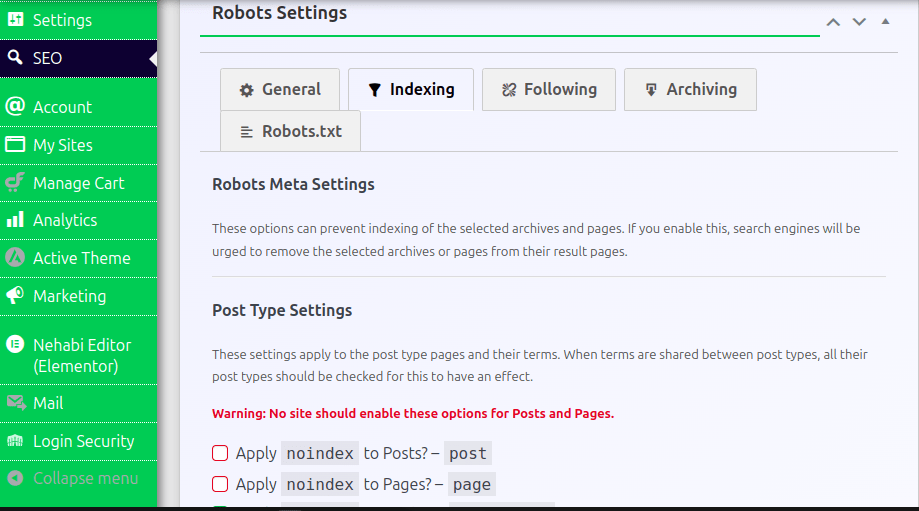
      8. Robots Meta Settings

      Robots.txt optimization with SEO tool

      Robots.txt file controls directives for search engine crawlers, dictating which pages should be indexed or followed.

      Key Options Include:

      • Indexing Options: Decide if specific post types (like tags or author archives) should be indexed.
      • Noindex, Nofollow, and Noarchive: Carefully apply these settings to prevent duplicate content or thin content pages from hurting your SEO.

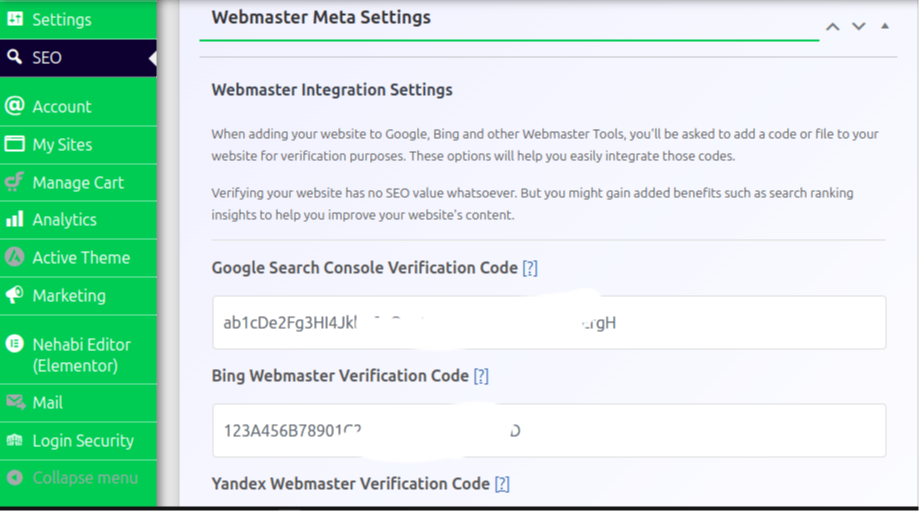
      9. Webmaster Meta Settings

      Website verification codes

      This option allows you to integrate your site with webmaster tools to verify your website and gain deeper insights. Verifying your website has no SEO value whatsoever. But you might gain added benefits such as search ranking insights to help you improve your website’s content.

      Key Options Include:

      • Verification Codes: Enter your verification codes for Google Search Console, Bing Webmaster Tools, Yandex, and more.

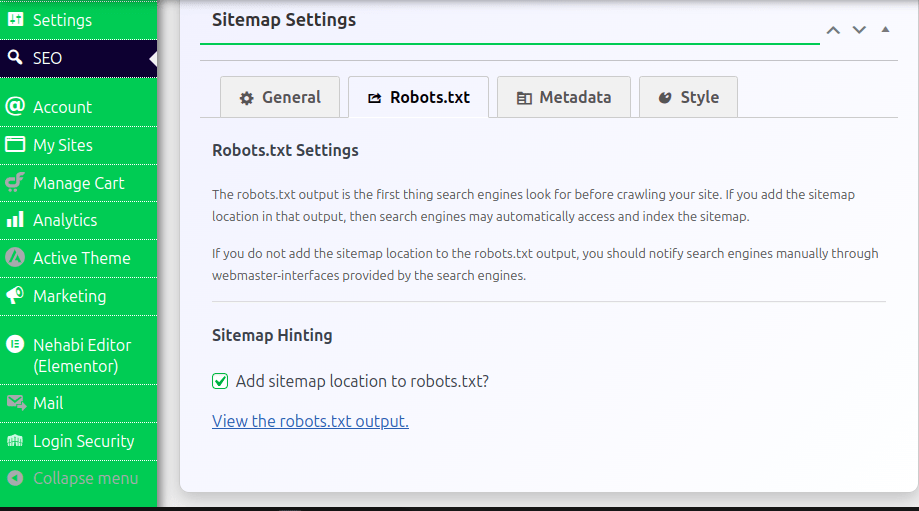
      10. Sitemap Optimization Settings

      Optimizing sitemap for SEO using tool

      A sitemap is a file that lists the pages and other files on a website, and the relationships between them. Our SEO tool can Generate and manage XML sitemaps that help search engines crawl and index your site efficiently.

      Key Options Include:

      • Automatic Sitemap Generation: The tool automatically creates a sitemap based on your content. Also, you can specify your sitemap location to robots.txt file which affects page discoverability on search engines.

      Conclusion

      This tool includes a visual “SEO bar” in the posts list that uses color coded indicators (green, yellow, red) to quickly signal how well a page is optimized. Use these hints to adjust your meta titles and descriptions.

      Our SEO tool offers an effective balance between automation and control. Its straightforward, all-in-one settings page covers everything from meta tag generation to structured data and sitemap management all while maintaining a clean and fast interface. Whether you’re new to SEO or a seasoned pro, this tool streamlines the optimization process and ensures your site is well-prepared to rank in search engines.

      FAQs

      Yes! It activate rich snippets, add brand logos, and link social profiles via its dedicated Schema.org settings tab.

      They add structured data to your site, improving how search engines display rich snippets in SERPs.

      It helps define the preferred URL for your content, preventing duplicate content issues across your

      No, the tool is performance-optimized, ensuring minimal impact on site speed while delivering robust SEO enhancements.

      Related Posts

      Build Your Digital Foundation with Nehabi.com

      In today’s rapidly evolving landscape, a powerful online presence is ...
      Read More

      Unlock Earning Potential: A Reseller’s Guide to Our Discount Program and Added Value!

      Are you a professional looking to expand your service offerings ...
      Read More

      “Build Your Dream Website with Nehabi:

      Read More
      WhatsApp
      Telegram
      TikTok
      Scroll to Top